
Compressi.ty
Local-first desktop compression toolkit for photos, videos, audio, documents, and archives.
Compressi.ty is a native desktop application built with Rust and eframe/egui. It is designed around on-device processing, modular feature workspaces, and a packaging flow that can ship the video runtime with the app instead of requiring users to install FFmpeg manually.
Why Compressi.ty
- Local-first by default. Compression runs on the user's machine with no cloud dependency.
- Native desktop UI. The application ships as a Rust desktop app with custom theming, fonts, and branding assets.
- Real workflows available today. The repository already includes working photo, video, audio, document, and archive/extract modules.
- Built to expand. New workspaces can be added under the same modular UI, logic, processor, and engine contract.
- Distribution ready. Windows and Linux packaging scripts produce portable bundles and installer-ready outputs with bundled media/document engines.
Project Status
| Workspace | Status | Notes |
|---|---|---|
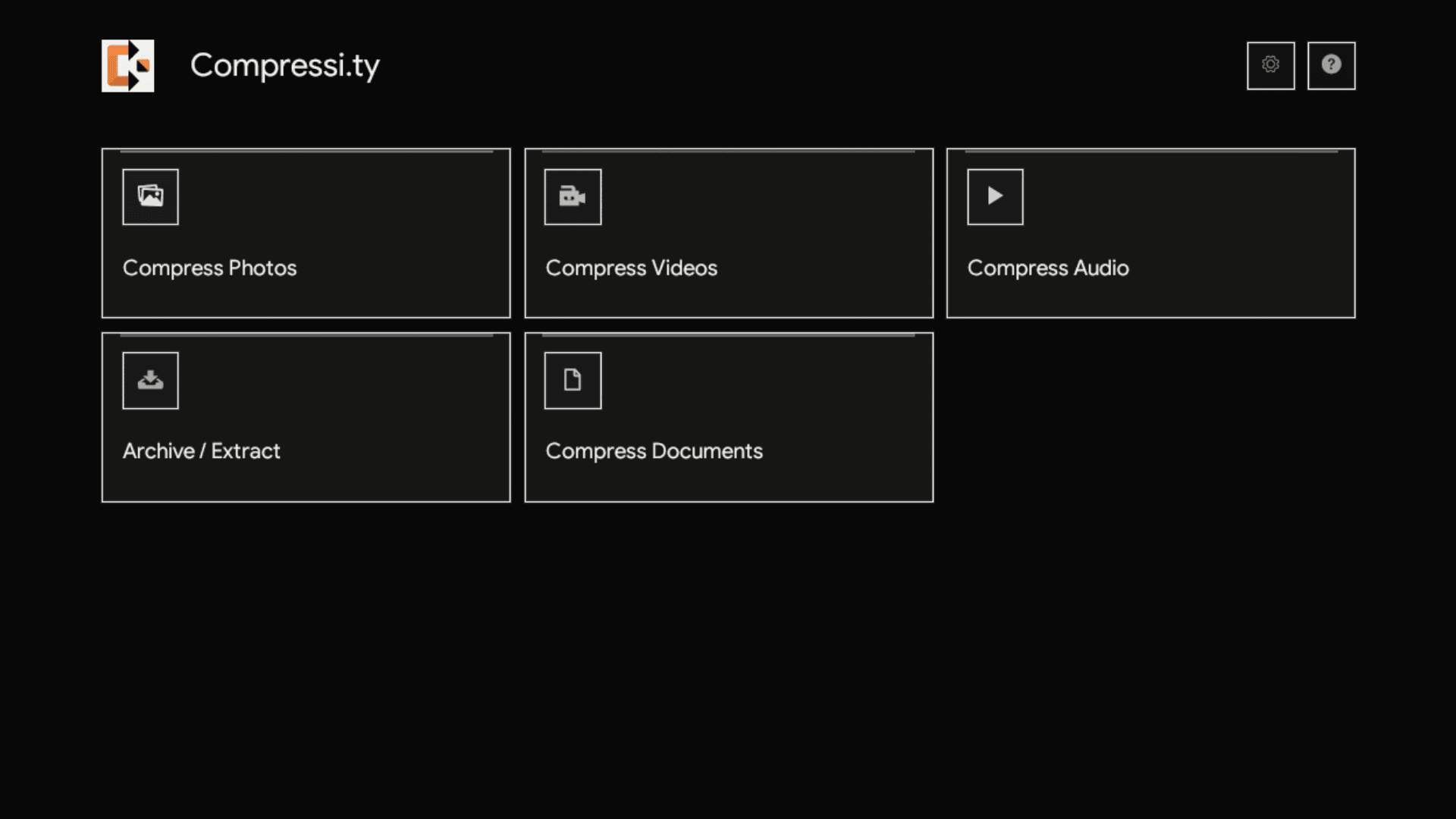
| Compress Photos | Available | Batch image compression, presets, advanced controls, output management, preview workspace |
| Compress Videos | Available | Batch video compression, metadata probing, thumbnails, live estimates, FFmpeg runtime management |
| Compress Documents | Available | Batch PDF and ZIP-package document compression with single-item and bulk workflows |
| Archive / Extract | Available | Browse, test, extract, and create archive packages with 7-Zip-backed format coverage |
| Settings | Available | Default output folder, engine inventory, managed FFmpeg updates |
| Compress Files | Planned shell | Menu entry and routed shell exist, workflow not implemented yet |
| Compress Folder | Planned shell | Menu entry and routed shell exist, workflow not implemented yet |
Feature Overview
Compress Photos
- Supported input formats:
JPG,JPEG,PNG,WebP,AVIF - Batch queue with drag-and-drop and file picker support
- Presets:
Maximum Quality,Balanced,High Compression,Ultra Compression - Advanced controls for quality, resize percentage, metadata stripping, and format conversion
- Output options: keep original format or convert to
JPEG,WebP, orAVIF - Before/after preview workspace with zoom, pan, and draggable split comparison
- Background processing with per-file progress reporting and cancellation
- Auto-generated run folders under
compressi.ty-output/photos/when no custom destination is selected
Compress Videos
- Supported input formats:
MP4,MOV,MKV,WEBM,AVI,M4V - Queue-based workflow with drag-and-drop, per-item probing, and thumbnail extraction
- Compression modes:
Reduce Size: target-size workflow with adaptive recommendations and two-pass encodingGood Quality: quality-first workflow using codec-aware estimationCustom (Advanced): manual bitrate, codec, resolution, and FPS control
- Codec detection for
H.264,H.265/HEVC, andAV1, with automatic fallback if an encoder is unavailable - Sequential batch compression with live progress, ETA, and output summaries
MP4output container with audio preserved when present
Compress Documents
- Supported input formats:
PDF,DOCX,DOCM,DOTX,DOTM,XLSX,XLSM,XLTX,XLTM,XLAM,PPTX,PPTM,POTX,POTM,PPSX,PPSM,PPAM,SLDX,SLDM,ODT,OTT,OTH,ODM,ODS,OTS,ODP,OTP,ODG,OTG,ODF,ODC,ODI,ODB,EPUB,XPS,OXPS,VSDX,VSDM,VSSTX,VSSTM,VSSX,VSSM,VSTX,VSTM - Drag-and-drop and file picker queue with per-row single compression or full batch compression
- Presets:
Maximum Compatibility,Balanced,High Compression,Ultra Compression - PDF optimization uses the
engine/pdf-enginetoolchain: Ghostscript is required and qpdf adds structural stream polish when available - Office, XPS, and Visio files use embedded PNG/JPEG media optimization followed by 7-Zip Deflate repacking from
engine/package-engine - OpenDocument and EPUB files use the native
zip-rspath to preserve package layout requirements - OpenDocument and EPUB packages preserve the required uncompressed first
mimetypeentry - Document engine discovery checks managed engines, bundled engines, then system
PATH
Archive / Extract
- Supported extraction formats follow 7-Zip engine coverage, including
7z,ZIP,RAR,TAR,GZIP,XZ,BZIP2,WIM,ISO,CAB,DMG,VHD,VHDX,VDI,VMDK,QCOW2,APFS,SquashFS, and related package/container formats - Create new archives as
7z,ZIP,TAR,TAR.GZ,TAR.XZ,TAR.BZ2, orWIM - 7-Zip/NanaZip-style archive manager workflow with a command bar, archive queue, breadcrumb contents browser, sortable entry table, search, multi-select, context actions, test archive, extract selected/all, and create archive dialogs
- Password support for encrypted extraction and encrypted
7z/ZIPcreation - Overwrite policies, archive-named or exact-folder extraction, update modes, password confirmation, and optional split-volume archive creation
- Windows shell intents for archive actions such as
Extract files...,Extract Here,Extract to folder,Test archive,Add to archive...,Add to .7z, andAdd to .zip - Background processing with cancellation, output folder shortcuts, and per-item status
- Archive engine discovery checks managed 7-Zip, bundled 7-Zip, then system
PATH
Architecture
Compressi.ty is organized around a shared application shell plus feature-specific modules.
src/
  main.rs                      Native app bootstrap
  app.rs                       Global state, routing, dialogs, and module orchestration
  theme.rs                     Typography, palette, and egui styling
  branding.rs                  SVG app icon loading for window and in-app surfaces
  runtime.rs                   Config, data, engine, and output directory helpers
  settings.rs                  Persistent JSON application settings
  modules/
    compress_photos/           Image models, compressor, and egui workspace
    archive_extract/           Archive models, engine discovery, processor, and egui workspace
    compress_documents/        Document models, processor, and egui workspace
    compress_videos/           FFmpeg engine, processor, models, and egui workspace
  ui/                          Main menu, settings screen, and placeholder module shell
packaging/
  windows/                     Installer staging and Inno Setup workflow
  linux/                       AppDir/AppImage bundling workflow
assets/
  icon/                        Application icon assets
  fonts/                       Google Sans and Ionicons
Module Contract
The repository already follows a clear split that is easy to extend:
models.rscontains user-facing state and domain typescompressor.rs,processor.rs, andengine.rscontain heavy logic and background workui.rsowns egui rendering, layout, and interaction mapping
Runtime Behavior
- Global settings are persisted as
compressi.ty/settings.jsoninside the user's config directory - If no default output folder is configured, Compressi.ty resolves an output root in this order:
Downloads -> Pictures -> Documents -> Home -> temp fallback - Default generated output folders:
- Photos:
compressi.ty-output/photos/run-<timestamp>/ - Documents:
compressi.ty-output/documents/run-<timestamp>/ - Videos:
compressi.ty-output/videos/run-<timestamp>/ - Archives:
compressi.ty-output/archives/extracted/andcompressi.ty-output/archives/created/
- Photos:
- Managed FFmpeg and document engine updates are stored in local app data so installed application folders can remain read-only
Getting Started
Prerequisites
- Rust toolchain
- Internet access if you plan to use managed video or document engine downloads from source
- Optional release prerequisites:
- Windows installer builds: Inno Setup 6
- Linux bundles:
bash,curl,tar,unzip,squashfs-tools, and a C toolchain that providescc(for Ubuntu/Debian/WSL:sudo apt install build-essential squashfs-tools unzip), optionalappimagetool
Run From Source
cargo run
Test
cargo test
First-Run Note for Video Compression
The video workspace can use any of the following FFmpeg sources:
- Managed FFmpeg stored in app data
- Bundled FFmpeg shipped with the app
- System FFmpeg available on
PATH
If no engine is available, the application attempts to prepare a managed FFmpeg runtime automatically.
The document workspace prepares Ghostscript, qpdf, and 7-Zip as managed engines when bundled or system engines are missing. The archive workspace prepares 7-Zip when no bundled or system archive engine is available. Release builds stage FFmpeg under engine/video-engine, PDF tools under engine/pdf-engine, and ZIP-package tools under engine/package-engine.
Packaging and Release
The detailed release process lives in RELEASING.md. The commands below cover the main workflow.
Windows
powershell -ExecutionPolicy Bypass -File packaging\windows\build-installer.ps1
Optional flags:
powershell -ExecutionPolicy Bypass -File packaging\windows\build-installer.ps1 -SkipTests
powershell -ExecutionPolicy Bypass -File packaging\windows\build-installer.ps1 -RefreshEngine
powershell -ExecutionPolicy Bypass -File packaging\windows\build-installer.ps1 -Variant no-engine
powershell -ExecutionPolicy Bypass -File packaging\windows\build-installer.ps1 -Variant all
Outputs:
dist/windows/Compressi.ty/for the default bundled variantdist/windows/Compressi.ty-no-engine/for the no-engine variantdist/windows/Compressi.ty-bundled/as the bundled staging folder when-Variant allis useddist/windows/installer/Compressi.ty-Setup-<version>.exefor the default bundled installerdist/windows/installer/Compressi.ty-Setup-<version>-NoEngine.exefor the no-engine installerdist/windows/installer/Compressi.ty-Setup-<version>-Bundled.exewhen-Variant allis used
Linux
sudo apt update && sudo apt install -y build-essential
chmod +x packaging/linux/build-bundle.sh
chmod +x packaging/linux/AppRun
./packaging/linux/build-bundle.sh
Optional flag:
./packaging/linux/build-bundle.sh --skip-tests
Outputs:
dist/linux/Compressi.ty.AppDir/dist/linux/Compressi.ty-<version>-<arch>.tar.gzdist/linux/Compressi.ty-<version>-<arch>.AppImagewhenappimagetoolis available
Repository Docs
- AI_PLAYBOOK.md: architectural rules and contributor guidance for expanding the module system
- RELEASING.md: release process and artifact expectations
- packaging/README.md: packaging overview
- IONICONS-CHEATSHEET.md: verified Ionicons mappings used by the UI
Development Notes
- Current automated tests are concentrated in the video processing module, especially parser and estimation logic
- Windows and Linux packaging are implemented in-repo
- macOS-specific packaging is not documented in the current repository
License
This project is distributed under the Compressi.ty Personal Source-Share Attribution NonCommercial License 1.0. See LICENSE.